Manual expense processes cost more than you think
The real cost of expense management isn't the subscription fee for a tool. It's the hours your team spends on a process that shouldn't require human effort.
Consider what happens with a typical business expense today. An employee makes a purchase. They keep the receipt (hopefully). At some point, they photograph it or tape it to a form. They fill in the amount, category, cost centre, and VAT. Someone in finance checks the submission, matches it to a bank transaction, corrects errors, and enters it into the accounting system.
Multiply this by every employee and every transaction, every month. For a 30-person company averaging 100 monthly transactions, you're looking at hours of admin time — split across employees who should be doing their actual jobs and finance staff who should be doing higher-value work.
The fragmentation makes it worse. Many companies use one tool for cards, another for receipts, a spreadsheet for travel expenses, and a manual process to get it all into the accounting system. Every gap between systems is a place where data gets lost, delayed, or entered incorrectly.
Zevoy connects the full expense lifecycle in one platform
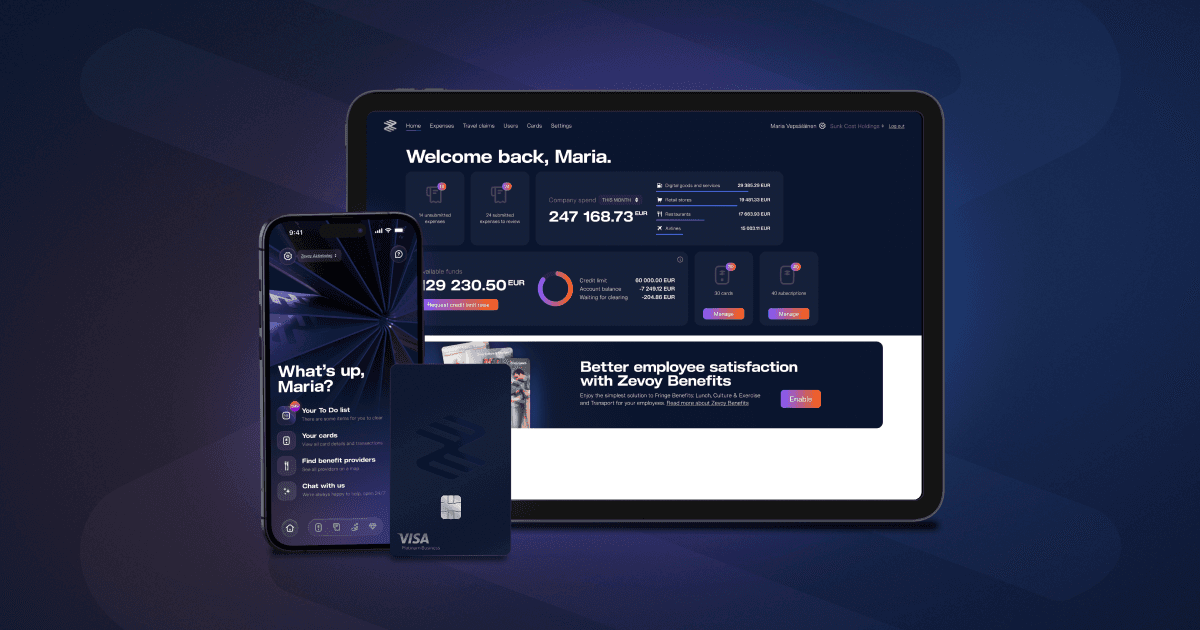
Card transaction → receipt → category → approval → accounting. These steps happen in one system in Zevoy, not five separate processes stitched together.
Step 1: Payment Employees pay with Zevoy corporate Visa cards — physical or virtual. The transaction appears in Zevoy immediately.
Step 2: Receipt capture The employee captures the receipt in the Zevoy app — the receipt is saved against the transaction. Transaction details (amount, VAT, merchant) come from the Visa network. Receipts can also be forwarded by email, or attached automatically via ReceiptHero at participating merchants.
Step 3: Categorisation Categories connect the right accounting codes and VAT treatment to each transaction, making it easy for users to process expenses correctly. Zevoy's AI auto-categorisation suggests categories based on previous transactions. Employees can adjust if needed, and cost centres can be pre-assigned per card or per employee.
Step 4: Approval All admins can approve expenses in the Zevoy Hub. Verifiers can be set per user for an additional review step. Approvers see the transaction, receipt, category, and any notes, and approve or reject with one click.
Step 5: Accounting export Approved expenses push directly to your accounting system via API (Netvisor, Procountor, Fortnox, NetSuite, Business Central) or via structured export templates (Talenom, Fennoa, Heeros, Fivaldi, and 20+ others). Receipts attach as PDFs.
Travel expenses and out-of-pocket claims follow the same workflow. Per diem, mileage, and reimbursable expenses go through the same approval chain and export in the same batch.
✔
✔
✔
What does expense management automation actually mean?
It means reducing manual steps in the expense process. In Zevoy, card payments, receipt capture, categorisation, approval, and accounting export all happen in one system. OCR and ReceiptHero capture receipt data, AI suggests categories, and approved expenses export to your accounting system — with less manual data entry at every step.
How much time does automated expense management save?
It depends on your current process. Companies moving from spreadsheet-based or paper-based systems typically eliminate several hours of monthly admin time per finance team member, plus time saved by every employee who no longer fills out expense reports manually.
Can Zevoy replace our current expense reporting process?
Yes. Zevoy handles corporate card expenses, out-of-pocket reimbursements, travel claims (per diem and mileage), and subscription management. If your current process involves separate tools or spreadsheets for these, Zevoy consolidates them into one platform.
Does automated expense management work with Finnish accounting systems?
Yes. Zevoy connects to 27 accounting systems. Finnish systems include Netvisor (direct API), Procountor (direct API), Talenom, Fennoa, Heeros, Fivaldi, Lemonsoft, and Visma L7. Swedish systems include Fortnox (direct API), Briljant, and Briox.
What approval workflows does Zevoy support?
All admins can approve all expenses in Zevoy Hub. Verifiers can be separately set for each user to add an additional review step. Approvers review the transaction, receipt, category, and any notes, and approve or reject with one click.
Zevoy Aktiebolag
Eteläesplanadi 24 A
00130 Helsinki
Suomi
Y-tunnus: 3147751-4
Zevoy on vuonna 2020 perustettu fintech-yritys. Zevoy Aktiebolag on suomalainen sähkörahalaitos, jota säätelee ja valvoo Suomen Finanssivalvonta. Yhtiön kortit myöntää Zevoy Aktiebolag Visa Europe Limitedin myöntämän lisenssin alaisena. Pääkonttorimme sijaitsee Helsingissä, Suomessa, ja kotimarkkinamme lisäksi palvelemme myös Ruotsia, Norjaa, Tanskaa, Saksaa, Ranskaa, Belgiaa, Alankomaita, Espanjaa, Portugalia, Viroa, Liettuaa ja Latviaa.